Companies
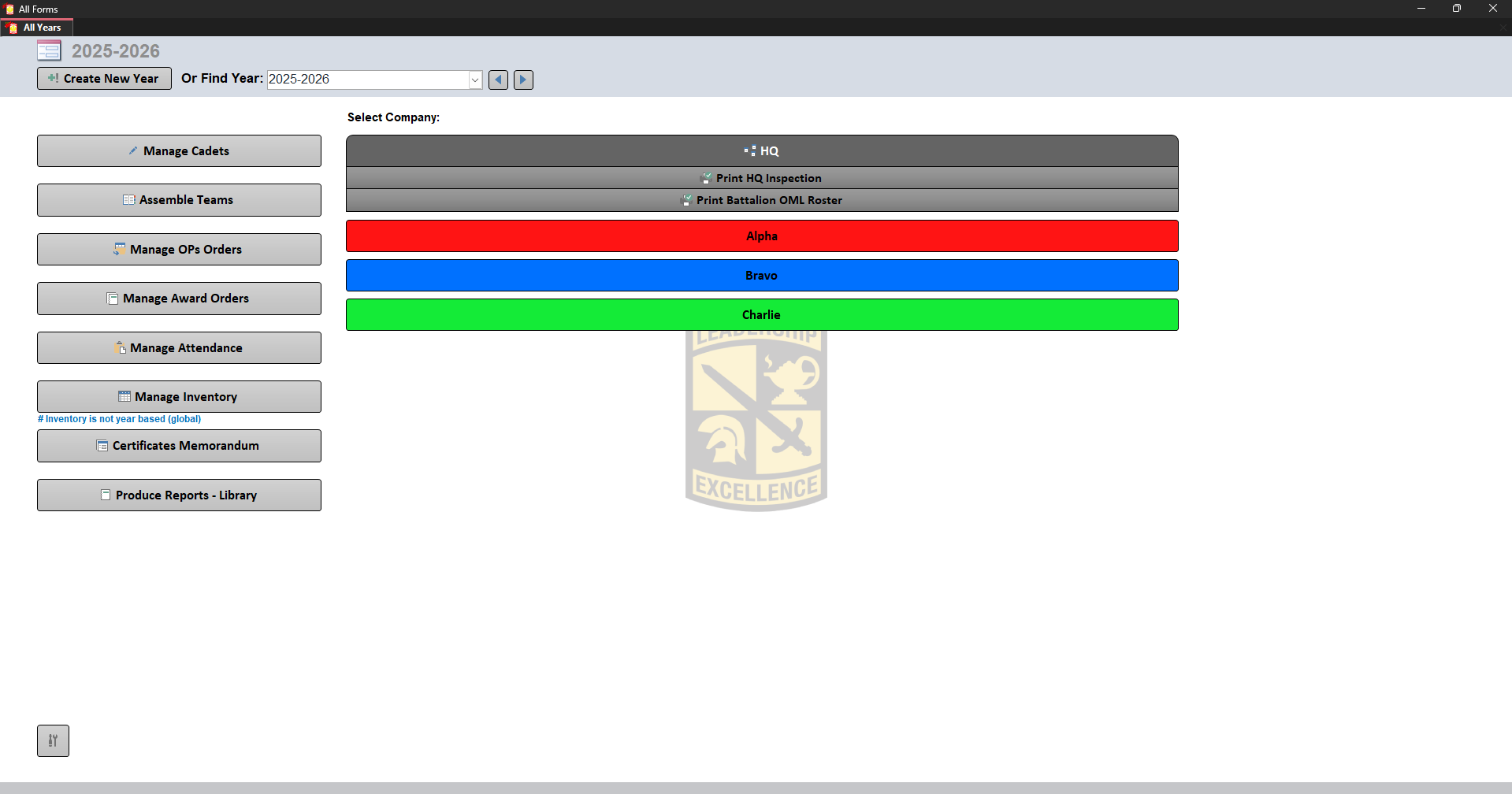
Selecting a company changes available settings and reports.
Company Settings
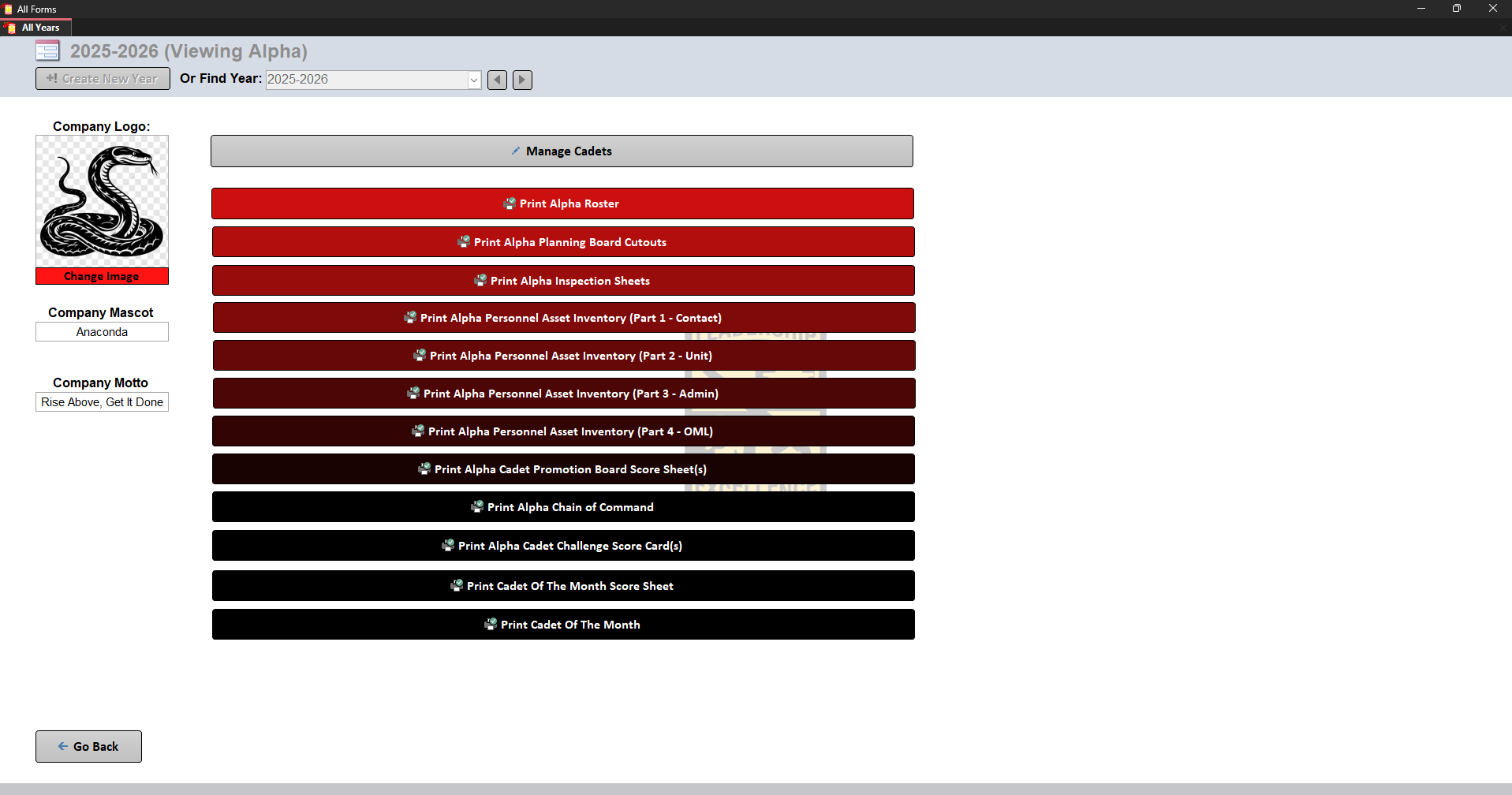
Each company can have:
- Logo
- Mascot
- Motto
HQ Company
HQ represents the entire battalion.
HQ reports allow:
The available reports include:
- HQ Roster
- Battalion Planning Board Cutouts
- HQ Inspection Sheet
- Personnel Asset Inventory (Part 1 - Contact)
- Personnel Asset Inventory (Part 2 - Unit)
- Personnel Asset Inventory (Part 3 - Admin)
- Personnel Asset Inventory (Part 4 - OML)
- HQ Cadet Promotion Board Score Sheet(s)
Other Companies
The available reports include:
- Company Roster
- Company Planning Board Cutouts
- Inspection Sheets
- Personnel Asset Inventory (Part 1 - Contact)
- Personnel Asset Inventory (Part 2 - Unit)
- Personnel Asset Inventory (Part 3 - Admin)
- Personnel Asset Inventory (Part 4 - OML)
- Cadet Promotion Board Score Sheet(s)
- Company Chain of Command
- Cadet Challenge Score Cards
- Cadet Of The Month Score Sheet
- Cadet Of The Month
Selecting Cadets
Many reports require selecting Cadets.
Features:
- Select All
- Unselect All
- Search by first name
- Search by last name
The bottom left displays: Showing 1 to 47 of 140 entries
If a search is active, Select All only selects visible Cadets.